DocuFlow
A downloadable tool for Windows
🚀 DocuFlow — Generate Word Documents in Seconds
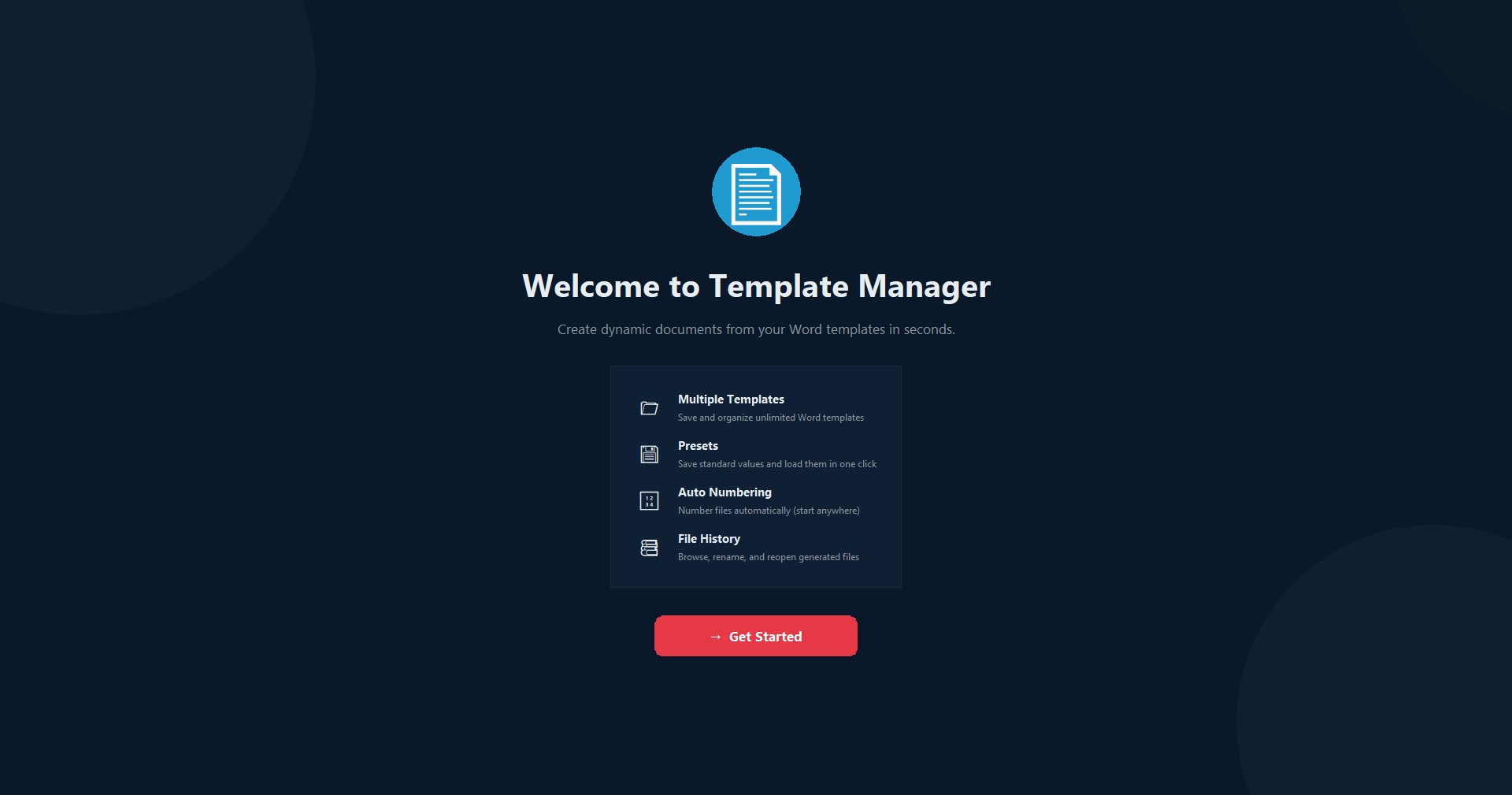
DocuFlow is a powerful yet simple Windows desktop app that eliminates the repetitive work of creating the same Word documents over and over again.
Whether you're a freelancer creating invoices, a teacher preparing certificates, or a business owner generating contracts — DocuFlow saves you hours of manual work.
✨ What's New in v1.2
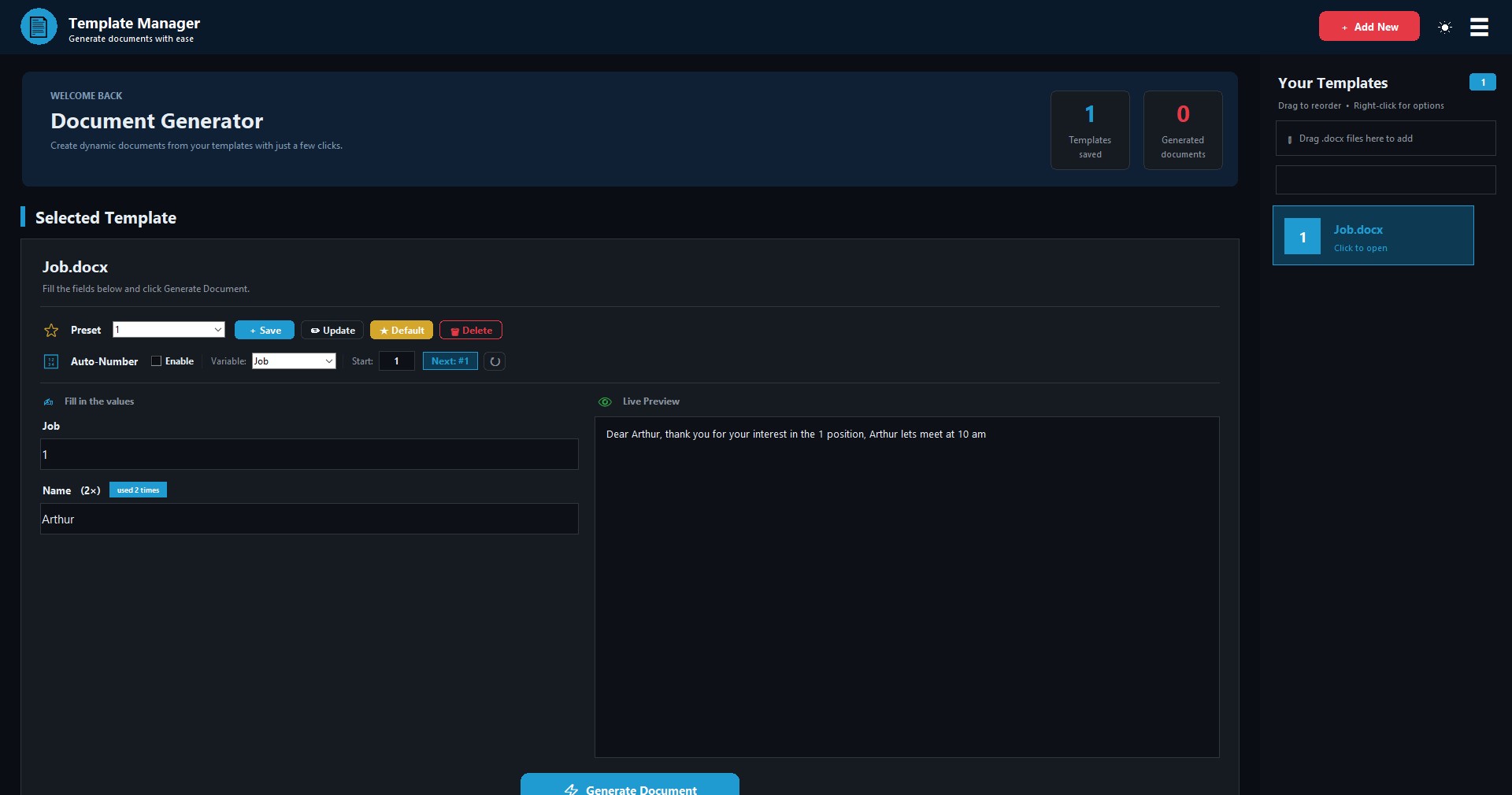
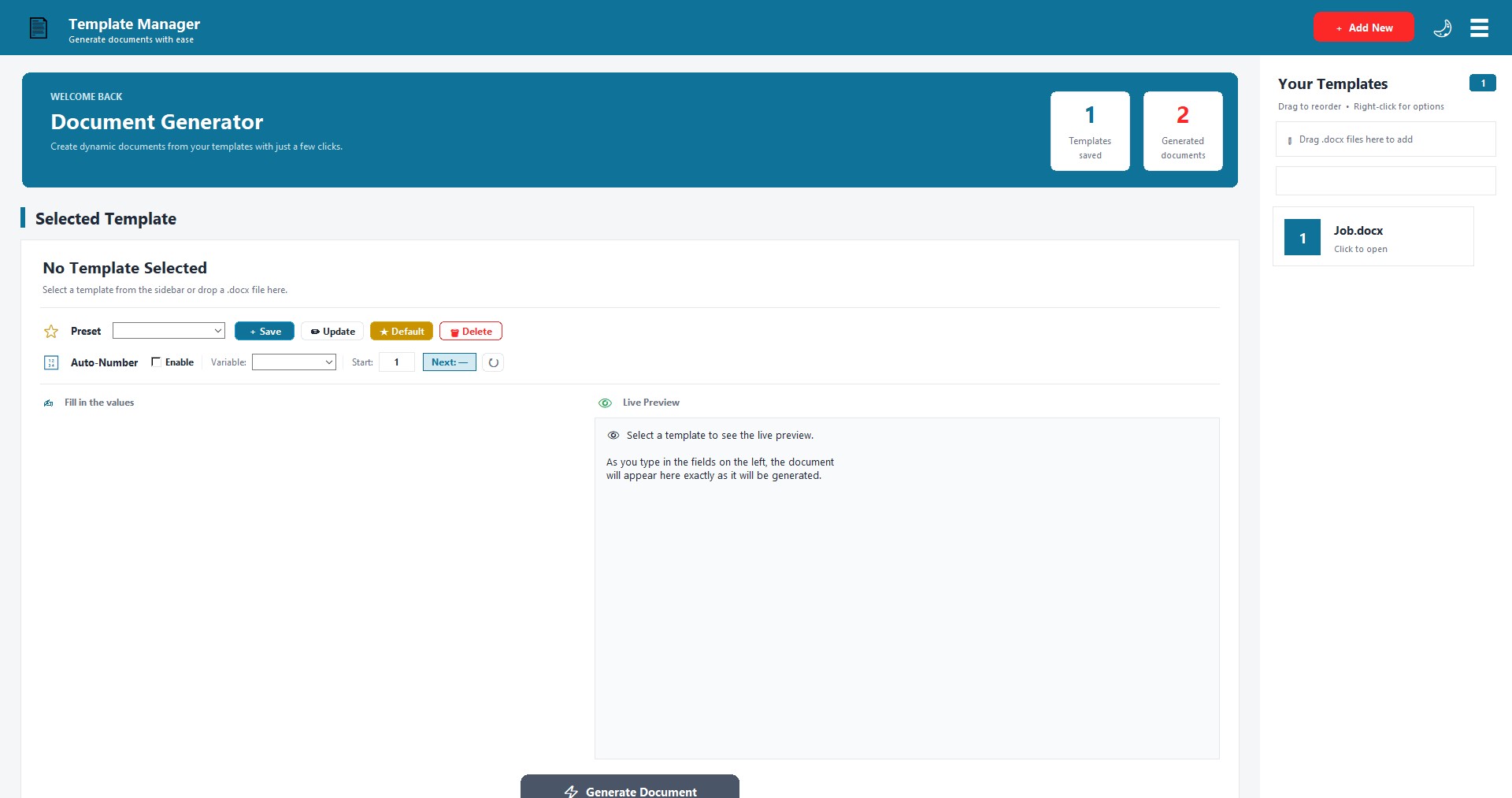
💾 Presets — Save Your Standard Values
Stop typing the same client info every time. Save any set of values as a Preset and load it with one click. Perfect for:
- Different clients (each with their own info)
- Different departments or categories
- Different document types
Set a preset as Default and it loads automatically when you open that template.
🔢 Auto-Numbering — Never Repeat a Number
Automatically number your documents (invoices, receipts, tickets, etc.) with any starting number. Perfect for:
- Invoices starting at #49
- Receipts starting at #1000
- Certificates starting at #1
When you generate, DocuFlow uses the current number and increments it for the next one.
✨ Core Features
📁 Unlimited Template Management
Add any number of Word templates. DocuFlow organizes them with automatic ID numbering. Right-click to rename, reorder, or change IDs.
⚡ Smart Auto-Fill
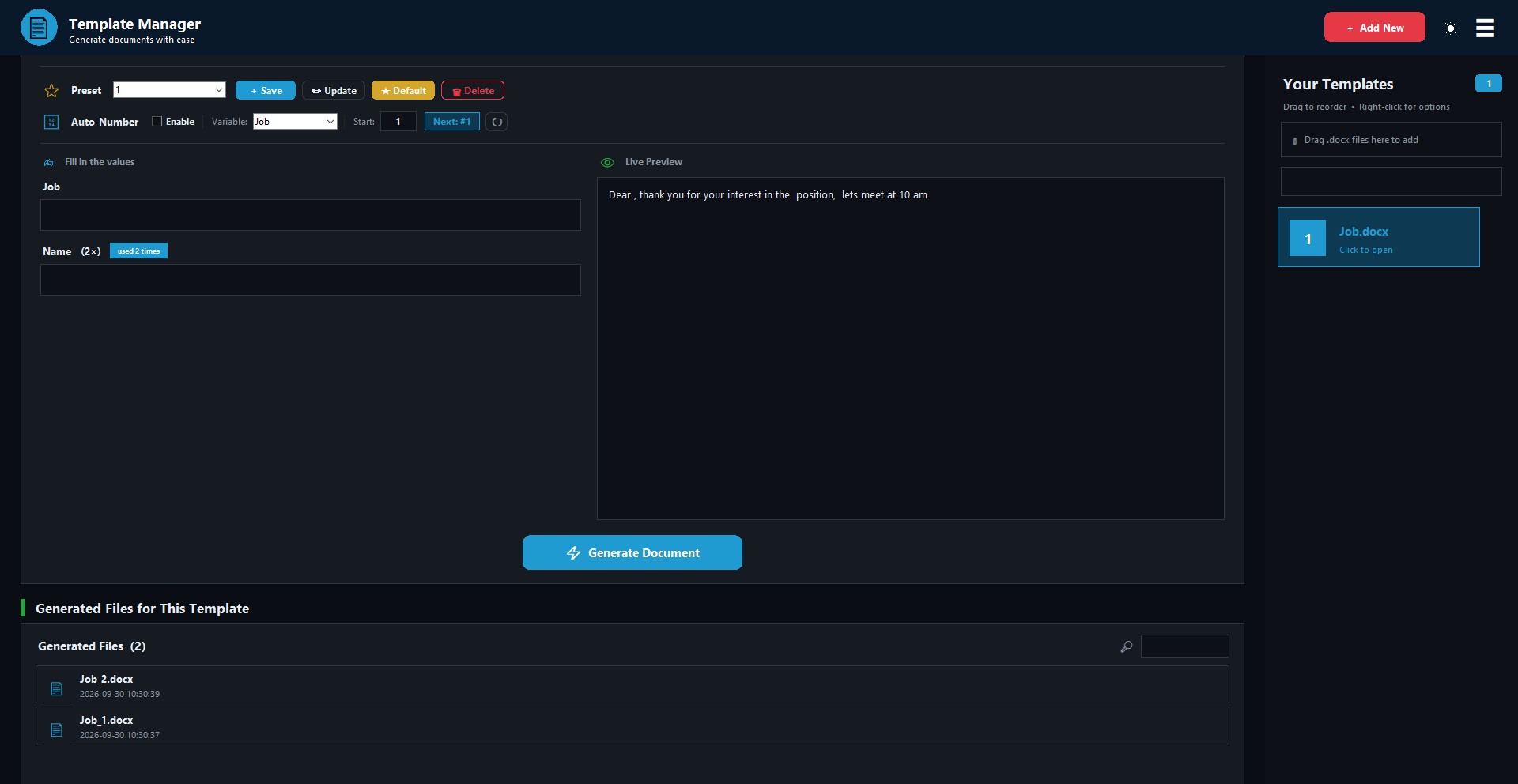
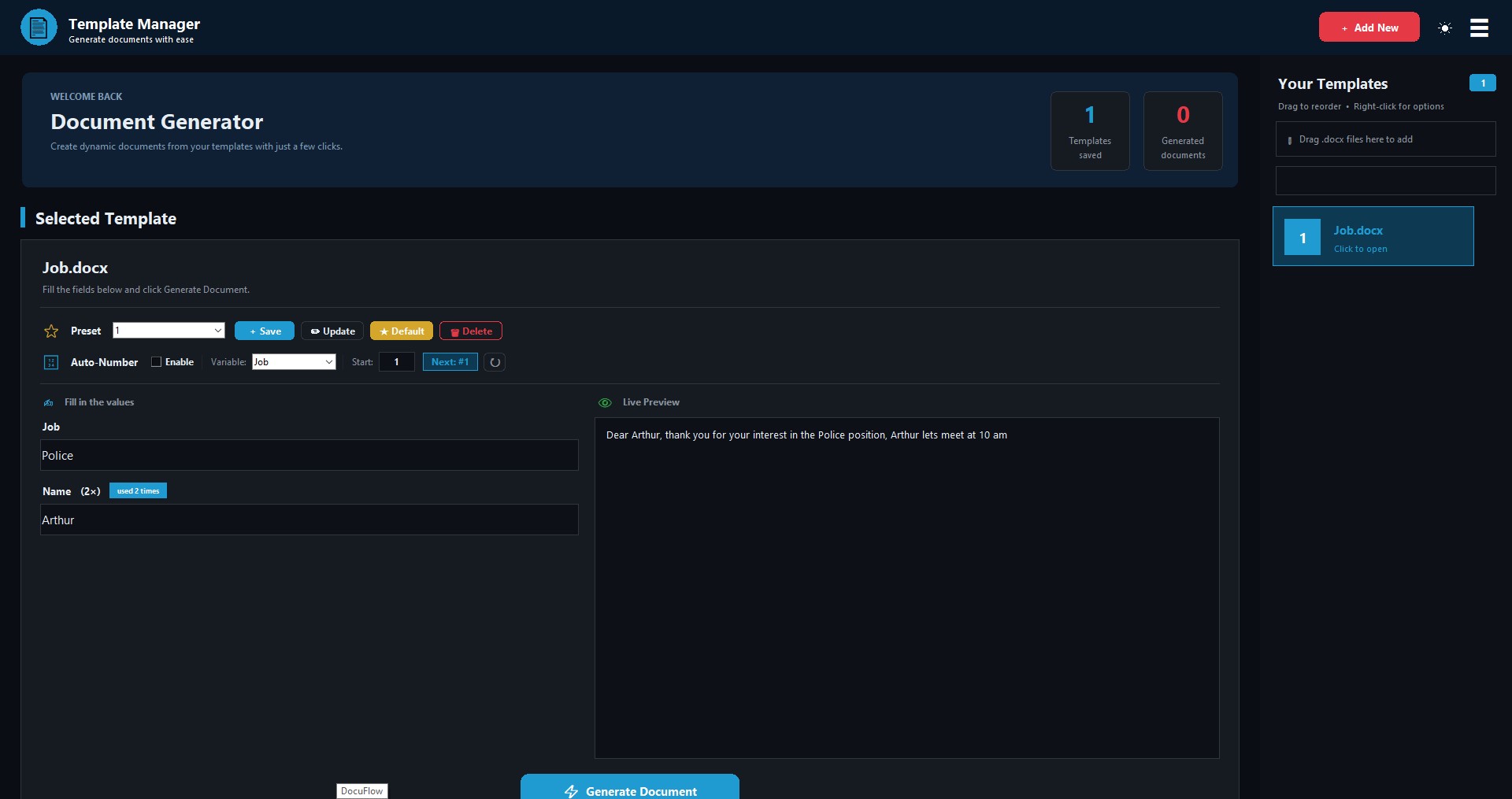
DocuFlow scans your template for variables and creates input fields automatically. If a variable appears multiple times, you'll see a "used N times" badge — fill it once, it updates everywhere.
👁 Live Preview
See your document update in real-time as you type in the fields. What you see is exactly what gets generated.
💾 Auto-Drafts
Switch between templates without losing your work. Your typing is automatically saved and restored when you come back.
📚 Complete File History
Every generated document is saved with its own history panel. Search, rename, reopen, or delete any generated file — directly from the app.
📊 Smart File Naming
Generated files are saved as TemplateName_1.docx, TemplateName_2.docx, or with your auto-numbering scheme.
🖥 How It Works — 3 Simple Steps
- Add a Template — Drag a Word file with placeholders onto the app.
- Fill the Fields — Type values in the auto-generated input fields.
- Click Generate — Your document is ready in the Generated_Files folder.
🎯 Who Is It For?
💼 Freelancers — Invoices, contracts, proposals
🎓 Teachers — Certificates, report cards, exam papers
🏢 Small Businesses — Receipts, letters, agreements, tickets
📝 Anyone who creates repetitive Word documents
💻 System Requirements
✅ Windows 10 (64-bit) — Supported
✅ Windows 11 (64-bit) — Supported
❌ Windows 7 / 8 / 8.1 — NOT supported
Microsoft Word (or any .docx reader) — Only needed to open generated files
No installation needed — just extract and run
🔒 License Information
This is a Single-Computer License.
When you first run DocuFlow, you will see a short license screen. Click "Accept and Continue" and the app is automatically activated on that PC only. No key required, no internet needed.
✅ What You CAN Do
- Install and reinstall on the same PC anytime
- Use it forever on that PC
- Move the DocuFlow folder anywhere on the same PC
- Reinstall Windows and re-activate (if hardware is same)
❌ What You CANNOT Do
- Use the same copy on a different PC
- Share it with friends or colleagues
💡 Need a Second License?
Want DocuFlow on both home PC and office PC?
Just contact me on itch.io — I'll send you a second license for FREE. I understand that one person can own multiple computers.
🔄 Got a New Computer?
Contact me on itch.io with your order number, and I'll help you transfer your license to the new PC — also for FREE.
💬 How to Contact Me
Use the Contact button on this page, or message me from your itch.io Library.
I usually respond within 24 hours.
⚠️ Honest Note
Yes, a determined user could technically bypass the license check. But that would mean not paying for a $4 tool that took Time and effort to build.
Most people are honest — thank you for supporting indie software.
📌 Important Notes
- All data is stored locally on your computer
- Your templates and documents are never uploaded anywhere
- No cloud, no account, no subscription
🌟 Why DocuFlow?
Most document automation tools are:
❌ Cloud-based (privacy concerns)
❌ Subscription-based (monthly fees)
❌ Complex to set up (coding required)
DocuFlow is:
✅ Offline and private
✅ One-time payment
✅ Ready to use in 30 seconds
📋 Changelog
v1.2 (Current)
- Added Presets system — save and load standard values
- Added Auto-Numbering — start from any number
- Improved UI with cleaner layout
- Fixed scrollbar issues
- Added license activation screen
- Added machine-bound activation
- Fixed various bugs
v1.0
- Initial release
- Template management with drag and drop
- Live preview
- File history
💬 Support and Feedback
Found a bug? Have a feature request? Need help with activation?
Feel free to reach out through itch.io — I read every message.
Enjoying DocuFlow? Please leave a rating and help others discover it.
Thank you for supporting independent software.
Version: 1.2.0
Last Updated: October 2026
Purchase
In order to download this tool you must purchase it at or above the minimum price of $4 USD. You will get access to the following files:
Leave a comment
Log in with itch.io to leave a comment.